Topics
Introduction to ICT
Creating Textual Communication
- Purpose of Creating Textual Documents
- Word Processor Basics
- Keyboard Functions
- Creating and Formatting a Document
- Saving and Opening Documents
- Text Formatting
- Error Detection Tools
- Cut, Copy and Paste
- Bullets and Numbering
- Tables in LibreOffice
- Inserting Images in LibreOffice
- Headers and Footers
- Print Preview and Printing
- Protecting Documents
Creating Visual Communication
Creating Audio-Video Communication
Presenting Ideas
Getting Connected: Internet
Safety and Security in the Cyber World
Fun with Logic
CBSE: Class 9
Cropping Images
Steps for Cropping an Image in GIMP :
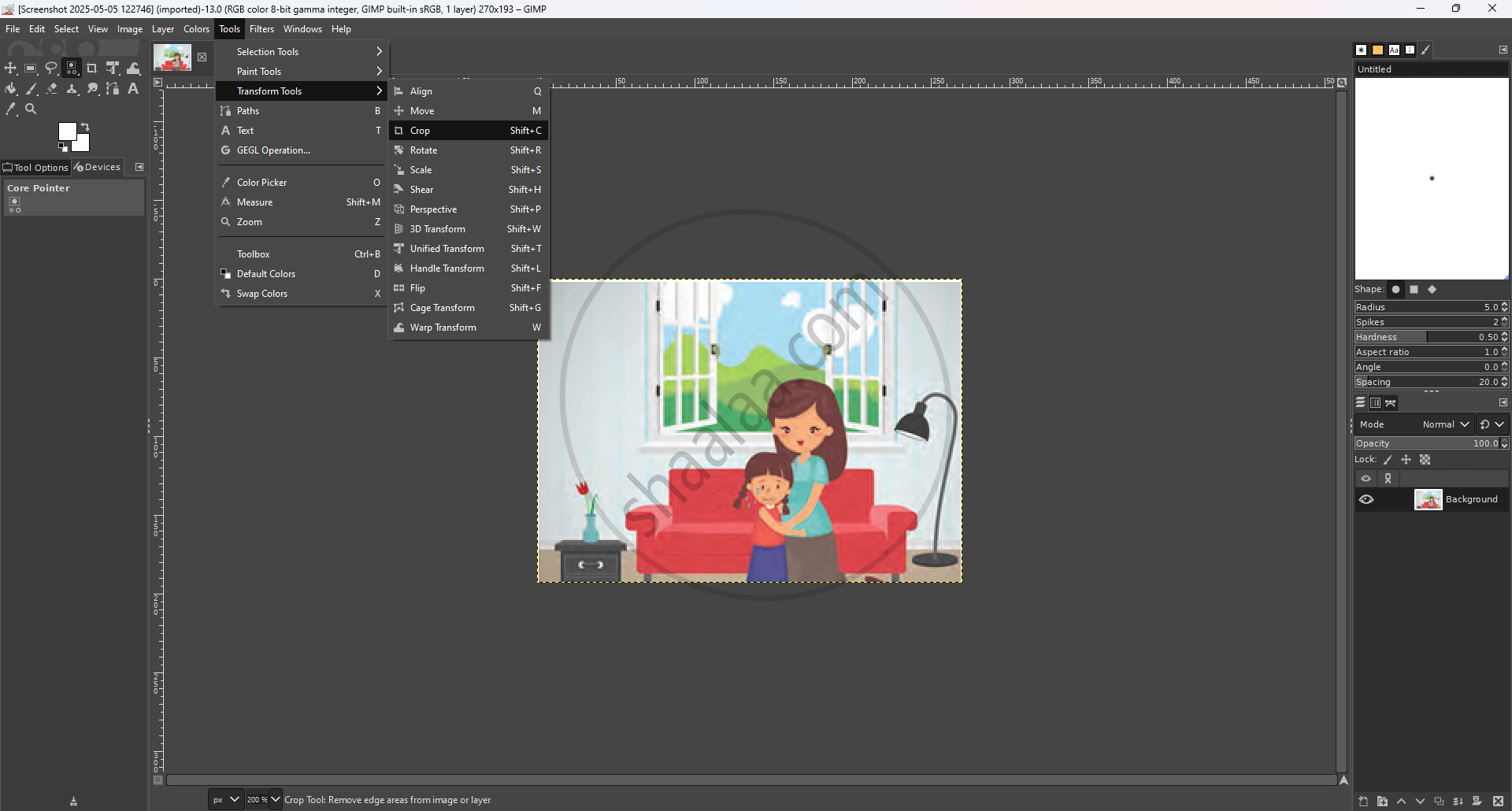
Step 1 : Go to the top Menu Click on Tools → Transform Tools → Crop Tool
Step 2 : Select the area of the crop Click and drag the mouse over the part of the image the user wants a cropping box will appear over the image
Step 3 : Confirm the Crop After selecting the desired area press Enter key on keyboard the cropped image appear
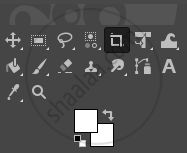
- A toolbox is a panel or window within image editing software (such as GIMP, Photoshop, etc.) that provides quick access to a set of tools used for creating, editing, and manipulating images.
- One can also select the portion to be cropped by using Tools → Selection Tools → Rectangle Select. Select and then select Image → Crop to Selection to crop an image
- Tooltips Appear on Hover When you move and pause the mouse pointer over a tool in the Toolbox, a tooltip appears it describes the tool's usage
- Tooltips often display the shortcut key for the tool.
- Help via F1 key while hovering over a tool to get detailed help about the tool
