Advertisements
Advertisements
प्रश्न
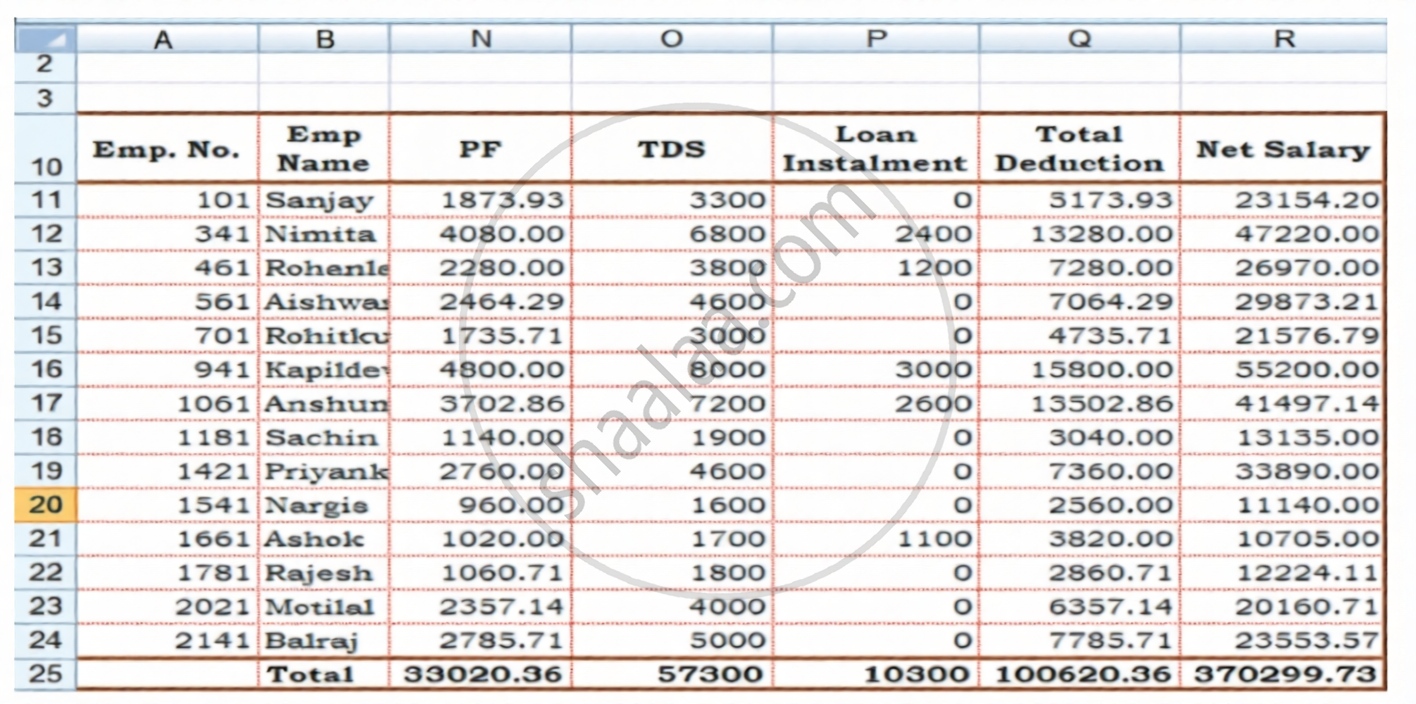
In columns F, G, H, I, J, and N of the Payroll spreadsheet shown in Figure 3.3 (a) and Figure 3.3 (b), the absolute addresses are used. What will happen if relative addresses are used instead of absolute addresses?
Figure 3.3 (a):
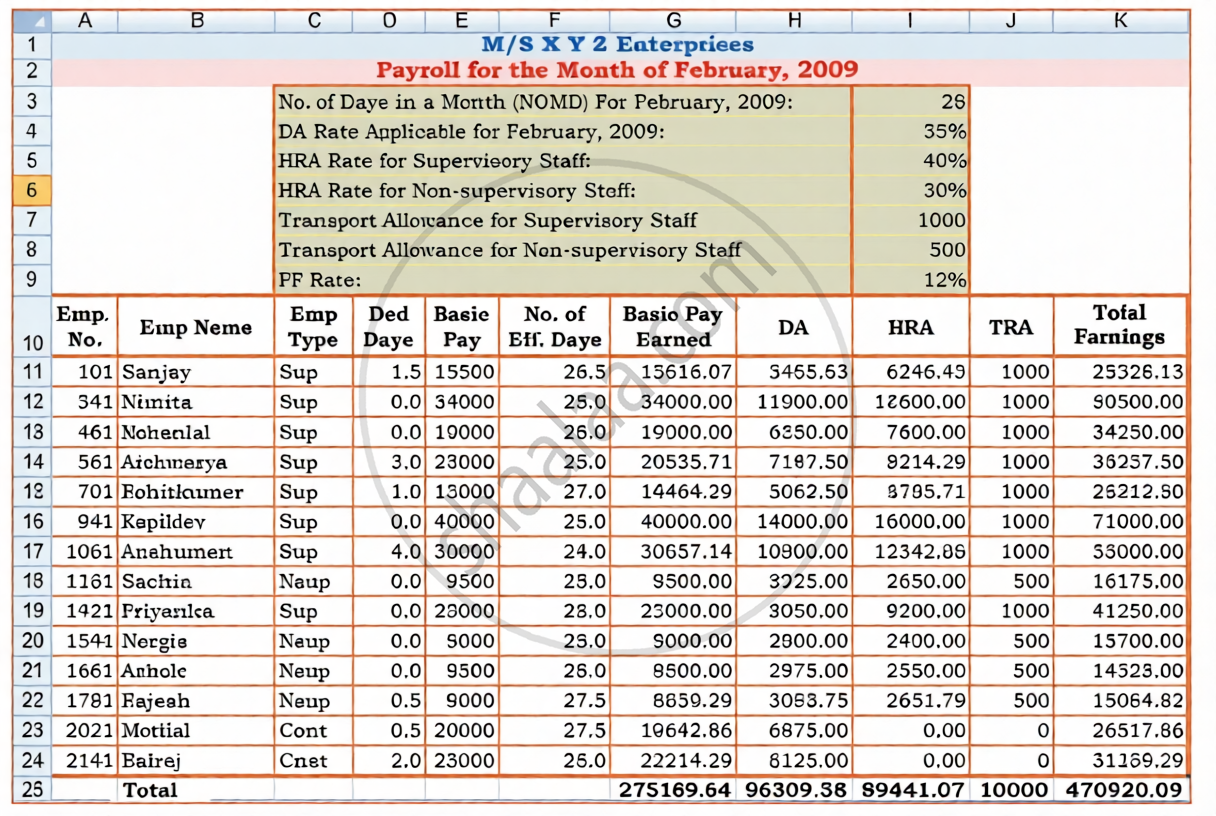
Figure 3.3 (b):
सविस्तर उत्तर
Advertisements
उत्तर
- Column F (Basic Pay Earned): The formula needs a fixed reference to cell H3 (No. of Days in a Month = 28). If it is relative, dragging the formula down will cause Excel to look at H4, H5, etc., multiplying by the wrong percentages instead of the days.
- Column G (DA): The formula needs to lock cell H4 (DA Rate = 35%). A relative reference will cause the rate cell to shift downward, multiplying basic pay by empty cells or text labels.
- Column H (HRA): The formula requires fixed references to cells H5 (40%) and H6 (30%) based on employee type. Shifting references will completely break the logical IF condition, producing zeros or error messages.
- Column I (TRA): The formula uses fixed allowances from cells H7 (1000) and H8 (500). Without absolute locking, subsequent rows will pull random values from cells below the allowance table.
- Column N (PF): The calculation relies on a fixed cell H9 (PF Rate = 12%). A relative address will move the rate cell down row by row, resulting in #VALUE! errors or incorrect zero deductions.
shaalaa.com
या प्रश्नात किंवा उत्तरात काही त्रुटी आहे का?
पाठ 3: Use of Spreadsheet in Business Applications - EXERCISE [पृष्ठ १०३]
